




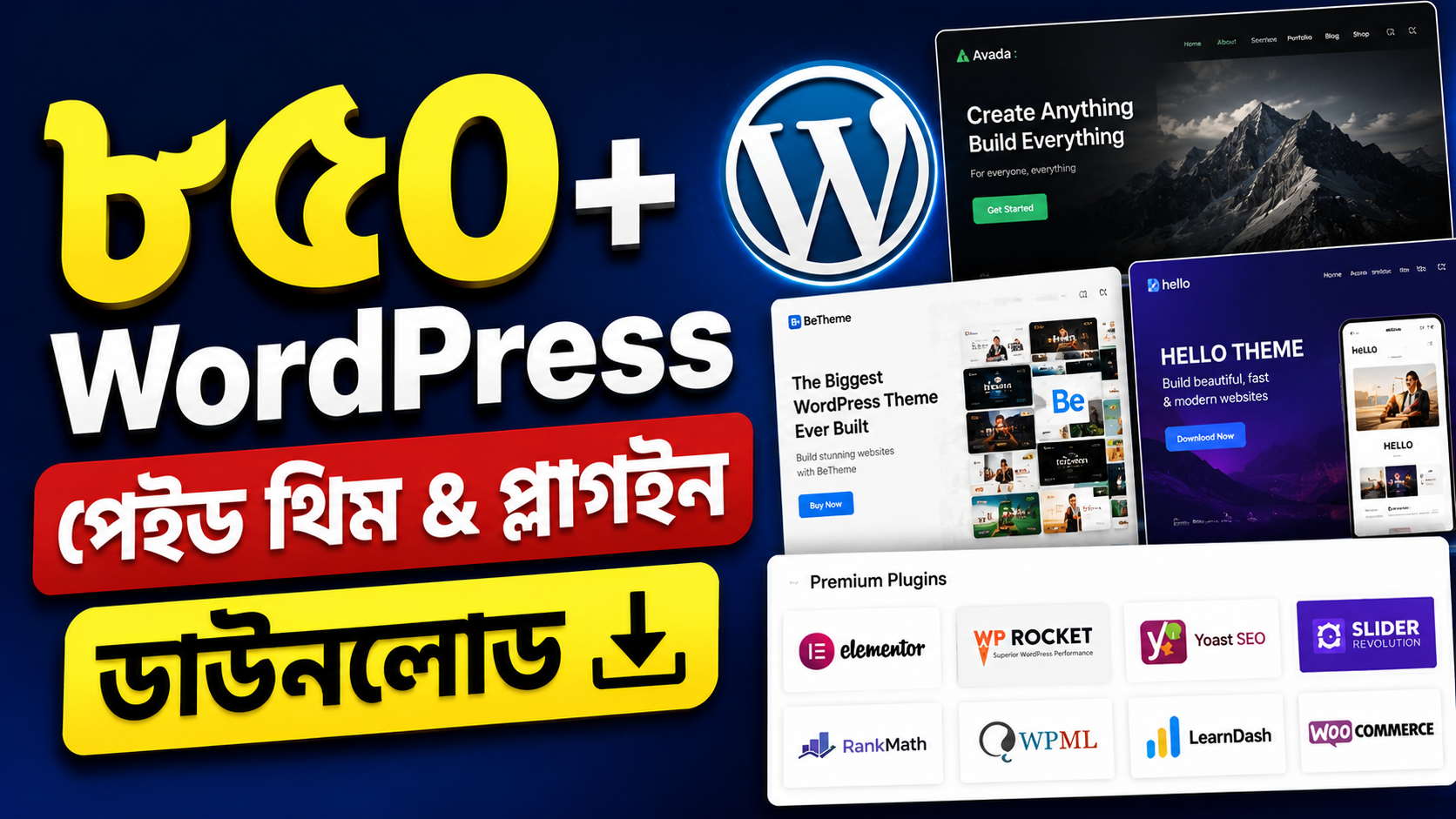


850+Paid WordPress theme & Plugin
Original price was: 2,000.00৳ .190.00৳ Current price is: 190.00৳ .
WordPress paid Themes & Plugins download
আপনার WordPress ওয়েবসাইটকে আরও সুন্দর, আধুনিক ও ফিচারসমৃদ্ধ করতে প্রয়োজনীয় বিভিন্ন Premium WordPress Themes & Plugins-এর বিশাল কালেকশন।
📦 এই কালেকশনে থাকছে:
- ✅ 850+ WordPress Themes & Plugins
- ✅ Premium WordPress Themes
- ✅ Business & Corporate Themes
- ✅ E-commerce & WooCommerce Themes
- ✅ Blog & Magazine Themes
- ✅ Portfolio & Agency Themes
- ✅ Landing Page Themes
- ✅ Elementor Compatible Resources
- ✅ SEO ও Performance সম্পর্কিত Plugins
- ✅ Security ও Website Management Plugins
- ✅ WooCommerce-এর প্রয়োজনীয় Plugins
- ✅ বিভিন্ন ধরনের Website Development Resources
🎯 Business, E-commerce, Blog, Portfolio, Agencyসহ বিভিন্ন ধরনের WordPress Website তৈরিতে প্রয়োজনীয় রিসোর্স এক জায়গায় পাওয়া যাবে।
💻 WordPress Developer, Freelancer এবং Website Owner-দের জন্য একটি বড় সংগ্রহ।
📥 বৈধ লাইসেন্স/ব্যবহারের অধিকার থাকা রিসোর্সগুলো ডাউনলোড ও ব্যবহার করুন।
🛒 কালেকশনটি নিতে এখনই Buy Now বাটনে ক্লিক করুন
What this collection covers in general terms
This product is presented as a broad collection of WordPress themes and plugins, rather than as a single theme or a single plugin. The types listed above include themes for business, shop, blog, portfolio, agency and landing pages, and plugins connected with search optimisation, performance, security, site management, WooCommerce and general website development.
A collection of this kind is best understood as a library to draw from for different projects. A business site, a shop, a blog and a portfolio do not need the same layout, pages or tools, so a range of options can make comparison easier. It does not, however, remove the need to choose carefully for each individual site.
Themes and plugins: the basic difference
According to WordPress.org documentation, a WordPress theme is a collection of files that work together to produce a graphical interface for a website. A theme modifies the way the site is displayed, without modifying the underlying software.
The same documentation states that only one theme can be active at a time. Changing a theme therefore changes the overall look of the site, even when the content stays the same, so a theme should be previewed with real content before it is activated.
A plugin, by contrast, adds or extends what a site can do. WordPress.org describes plugins as PHP scripts that extend the functionality of WordPress, enhancing existing features or adding new ones. Its documentation lists categories such as spam control, search optimisation, data import and export, e-commerce, security and caching as examples of what plugins can cover in general.
Who this collection may suit
This collection may suit a WordPress developer who builds different kinds of sites and wants to compare layouts quickly. It may also suit a freelancer who needs a starting point for a project and wants to test more than one design direction before settling on one.
A website owner may find it useful when planning a new site or a redesign, especially when still deciding between a business, shop, blog or portfolio layout. Seeing several approaches side by side can make the trade-offs clearer than considering one layout alone.
It may also suit someone learning WordPress, because working through different themes and plugins shows how menus, pages, forms and shop features fit together. That value depends on practice and careful testing, not simply on having access to many files.
How to choose a theme
Start with the purpose of the site. A shop needs clear product pages and a simple checkout path. A blog needs readable articles and easy navigation between posts. A business site needs clear service and contact pages, while a portfolio needs strong visual presentation without burying the work itself.
Do not judge a theme by its demo alone. Demos are usually built with carefully chosen images and text, so test a theme with your own headings, images and page lengths. Check the home page, an article or product page, and a contact page together, on a phone as well as on a computer.
Also consider structure and maintenance. Can you arrange the menus and pages you need without forcing content into an awkward shape? Is the theme compatible with your WordPress version, updated regularly, and supported by clear documentation? Before switching themes on a live site, preview the change and keep a current backup.
How to choose a plugin
Start with one specific job. Ask what problem the plugin is meant to solve, and whether that job is truly needed for this site. Adding several plugins for the same job, or plugins for jobs the site does not have, makes testing harder and increases the chance of conflicts.
Check compatibility before installing. WordPress.org documentation explains that a plugin description can include a note about compatibility with your version of WordPress, and warns that a plugin not updated since the most recent WordPress core update may be incompatible. Update history and clear documentation are therefore worth checking, not just the feature list.
Install and test one plugin at a time where possible, then check the home page, any forms and any shop pages that matter. WordPress.org documentation also advises keeping a current backup before updating plugins, and removing plugins that are no longer needed keeps future maintenance simpler.
Before you order: checks to make
Before ordering, check the current product page for the current included list. Do not assume that a list seen earlier, or described elsewhere, is still current. If the included items, licence or use terms, or support arrangements matter to your project, ask for those details in writing and confirm them before ordering.
This description does not state a price, a duration, a delivery time or a payment method, so those points should not be guessed from this page. The same applies to any update or compatibility outcome: confirm what, if anything, is actually covered, rather than assuming it.
On the technical side, note your WordPress version and the type of site you are building, and use a test site and a backup plan where possible. A test site is a safer place to try a new theme or plugin for the first time.
A note on licences, safety and the 850+ figure
This description makes no claim that any item in this collection is genuine, licensed or safe. The product page does not clearly state that for every item, so no such claim is made here. Only resources with a valid licence or use right should be downloaded and used, and the terms for any particular item should be checked before use, especially on a client or commercial site.
The figure 850+ is the figure used on this product page. It is not presented here as an independently verified current count. For the current included list, check the current product page. This description does not promise a fixed item list, licence terms, an update promise or a compatibility outcome.
Useful references
For background on this subject in the context of this collection, read the WordPress Premium Themes and Plugins guide: 850+ collection explained. For official technical definitions, see the WordPress.org Work with themes documentation and the WordPress.org Manage Plugins documentation.
Only logged in customers who have purchased this product may leave a review.







Reviews
There are no reviews yet.